
Harshness.
the edge between 2 and 8 khz. seven ways to remove it, in the order to try them.
Fix it at the source
turn the mic ten to twenty degrees off-axis and back off a
hand-width. softens the top end and the proximity boost before
any plugin exists. hard small rooms add grit no plugin removes.
- > cost
- none
- > limit
- does nothing for takes already recorded
Find the frequencies
narrow boost of 6 to 10 db, sweep slowly from 2 to 8 khz while
the vocal plays. 2-4 khz shout, 4-6 khz grit, 6-8 khz sibilance.
write the zones down; every method below works better with them.
- > cost
- five minutes
- > limit
- none, always do this
Clip gain and automation
pull the two or three loudest, sharpest phrases down one or two
db before any processing. harshness is level-dependent, so the
loud moments carry most of it. nothing is filtering anything.
- > cost
- time
- > limit
- treats moments, not the tone itself
Static EQ cuts
a narrow one to three db cut at the frequency you found works
when the harshness is constant: room resonance, mic peak, tone.
if the problem comes and goes, do not fix it with an always-on.
- > cost
- none, every daw has an eq
- > limit
- dullness when overused
A de-esser
a compressor that only reacts in a narrow high band. it solves
the s and t sounds around 5 to 8 khz and nothing else. on
broadband edge it does too little or chews the consonants.
- > cost
- free options exist
- > limit
- sibilance only
Dynamic EQ
a band that cuts only when that band crosses a threshold. right
when you know where the harshness lives and it comes and goes:
the 3.5 khz shout, the 6 khz edge on doubles. quiet notes stay.
- > cost
- moderate learning curve
- > limit
- only treats the zones you found
A harshness suppressor
listens across the whole harsh region and turns down only what
offends, only while it offends. dynamic eq without the hunting:
it tracks problems as they move with the performance.
- > cost
- free with suppressor
- > limit
- still not a licence for heavy saturation
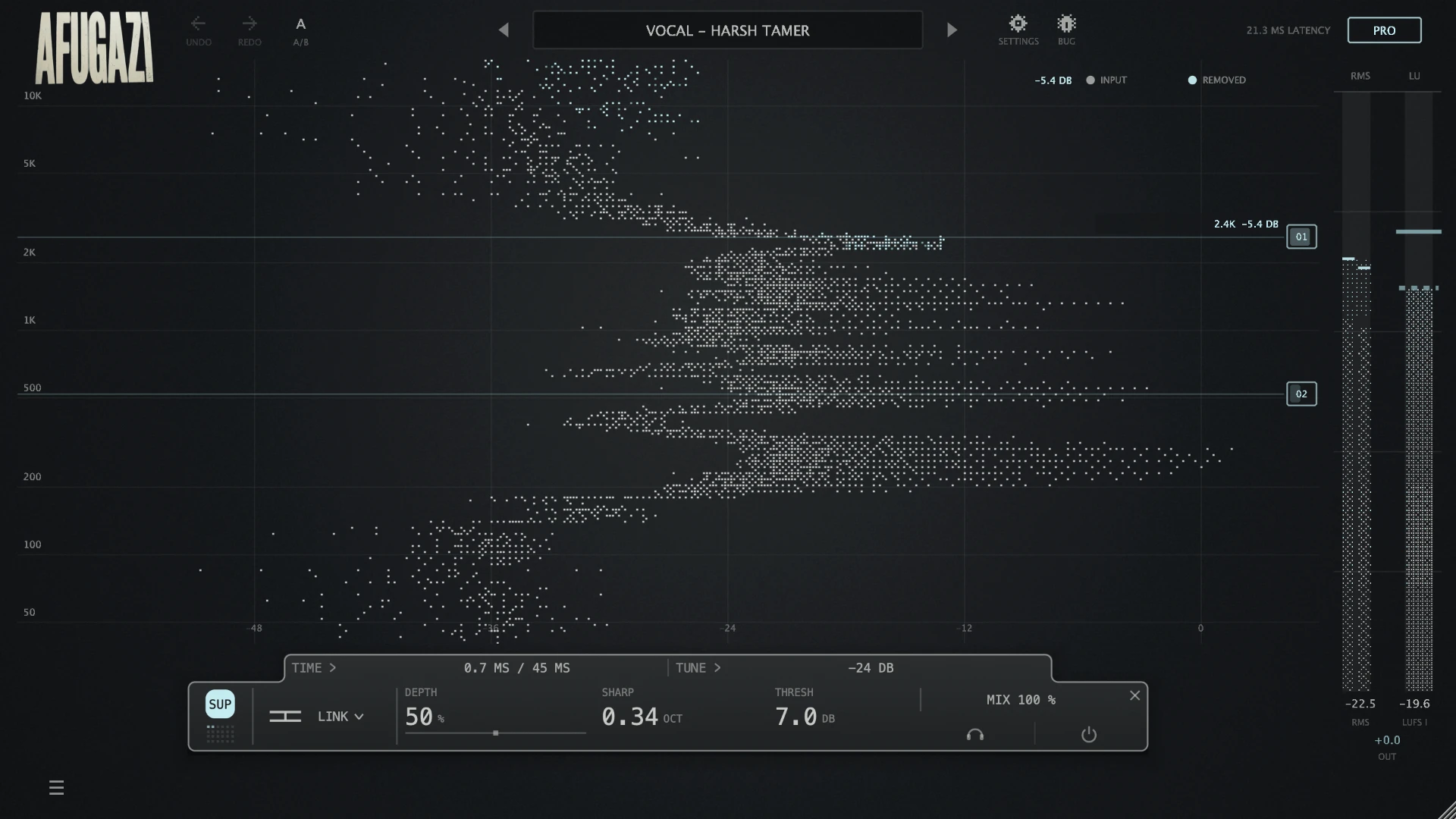
How to remove harshness from vocals
Harshness is the sharp, fatiguing edge that sits roughly between 2 and 8 kHz, where the human ear is most sensitive. It shows up on loud notes and stacked layers, and it gets worse through saturation and limiting. This page covers seven ways to remove it, in the order you should actually try them: from the microphone to the last plugin in the chain. Each method tells you what it fixes and what it costs you.
1. fix it at the source
The cheapest fix happens before the signal exists. Bright condenser mics aimed straight at the mouth collect edge. Move the mic slightly off-axis, ten to twenty degrees, and the top end softens without any processing. Increase the distance a hand-width and the proximity boost drops. If the room is hard and small, the early reflections add grit that no plugin fully removes. Every minute spent here saves an hour in the mix.
2. find the frequencies before you fight them
Insert any EQ, make a narrow boost of 6 to 10 dB, and sweep it slowly between 2 and 8 kHz while the vocal plays. The harshness will jump out at you. Typical zones: 2 to 4 kHz is presence turning into shout, 4 to 6 kHz is consonant edge and grit, 6 to 8 kHz is sibilance. Write down what you find. Every method below works better when you know the exact region you are treating.
3. clip gain and automation
The manual method. Find the two or three loudest, sharpest phrases and pull their clip gain down one or two dB before any processing. Harshness is level-dependent, so the loudest moments carry most of it. This is the most transparent fix that exists, because nothing is filtering anything.
4. static EQ cuts
A narrow cut of one to three dB at the frequency you found in step two works when the harshness is constant: a room resonance, a mic peak, a tone that is always there. It fails when the harshness only appears on loud notes, because the cut is also there on the quiet notes, and that is how vocals end up dull. Rule of thumb: if the problem comes and goes, do not fix it with something that is always on.
5. a de-esser
A de-esser is a compressor that only reacts in a narrow high band. It solves sibilance, the S and T sounds around 5 to 8 kHz, and it solves nothing else. Used on broadband harshness it either does too little or starts chewing the consonants. Keep one on the chain for what it is good at, and stop asking it to be something it is not.
6. dynamic EQ
A dynamic EQ band cuts only when the signal in that band exceeds a threshold. This is the right tool when you know exactly where the harshness lives and it only appears sometimes: the 3.5 kHz shout on the choruses, the 6 kHz edge on the doubled lines. It preserves the quiet notes completely. The cost is setup: one band per problem, a threshold per band, and re-tuning when the arrangement changes.
7. a harshness suppressor
A harshness suppressor listens across the whole harsh region and turns down only the frequencies that are offending, only while they offend. It is the dynamic EQ approach without the manual hunting: where a dynamic EQ needs you to find each problem, a suppressor tracks them as they move with the performance. This is the tool for harshness that shifts from note to note, stacked vocal layers, and the edge that saturation adds. SUPPRESSOR does exactly this, and it is free: no account, no trial period, no expiry. For how these tools compare to soothe, see free soothe alternatives.
the order that works
Fix the source if you still can. Sweep and find the zones. Pull clip gain on the worst phrases. Cut what is constant with static EQ. Let a de-esser own the sibilance. Then let a dynamic EQ or a suppressor handle what moves. And go easy on saturation and limiting afterwards, both of them regenerate the harshness you just removed: saturation adds harmonics exactly in the harsh region, and limiting pushes the loud moments, which are the harsh moments, forward.
quick answers
why does my vocal sound harsh only on loud notes? Because harshness is level-dependent. The energy between 2 and 8 kHz grows faster than the rest when a singer pushes. That is why always-on EQ fails and dynamic tools work.
can I fix harshness with a de-esser alone? Only the sibilance part. S and T sounds yes, broadband edge no.
should I cut before or after compression? Find and cut constant problems before the compressor, treat dynamic harshness after it. Compression makes quiet details louder, including harshness you had not noticed.
does more high end always mean more harsh? No. Air above 10 kHz can be boosted while the 2 to 8 kHz region is controlled. Bright and harsh are not the same thing, which is the whole point of dynamic treatment.